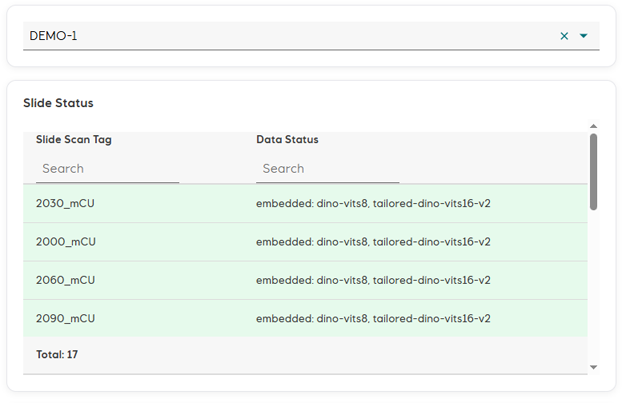
Scampi is a new cloud-based software service for enhanced palynological slide analysis. Using cutting-edge AI methodologies, Scampi enables the palynologist to quickly search millions of specimen images, which they can then verify and label.
With Scampi, an experienced palynologist can distill the entire dataset – every object on every slide – into meaningful, fully auditable results in a matter of hours, whilst being entirely in control of every identification. Every result can be traced back to the query that produced it. Spend less time scrolling the 'scope and more time analysing, comparing, understanding the fossils.
Scampi is a powerful tool for leveraging expert knowledge, not a replacement for experts.
Fast Image Search
At its heart, Scampi is an image-to-image search engine, optimised for palynomorphs. It gives you the power to include in your analysis every specimen captured on your slides.
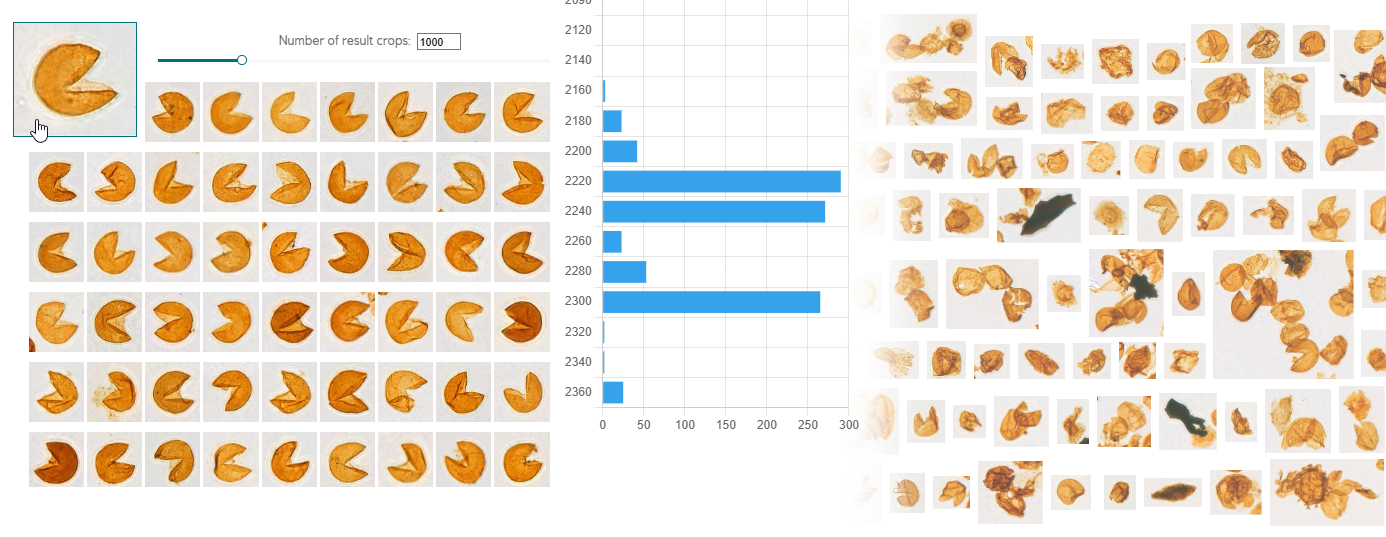
Scampi processes your slides into a collection of millions of images of individual palynomorph objects. A Scampi search compares a query image to every image in the slide collection. The search result is a list of the images most similar to the original query, ordered with the closest matches first. With a typical range of 10,000 - 25,000 objects on every slide, there are millions of potential matches, but thanks to pre-processing, the results are almost instant.
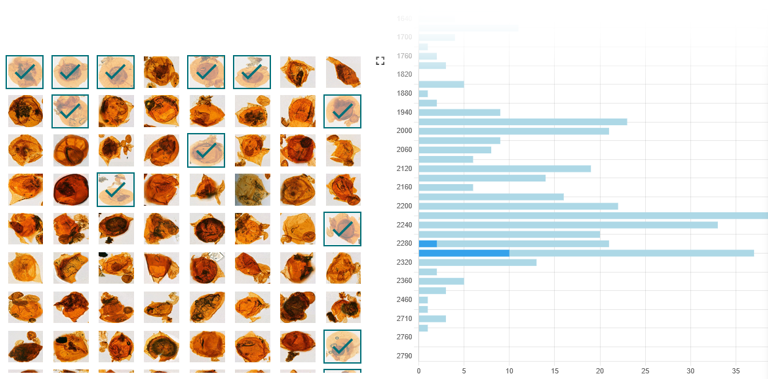
Search results are displayed with a depth distribution, and you can trace individual specimens back to their samples.
Choose the query image from the well itself, or from your own collection. Choose how many results return. Depending on the species, the result might be thousands of correct identifications, or it might be a shortlist from which you can verify a handful of rare specimens.
Experiment, Iterate and Refine
Adjust the parameters of your search to hone in on what you want to find.
Scampi isn’t training, learning or harvesting your results while you work. Searches are fast - intended to be used experimentally, iteratively, to explore the dataset. It’s you doing the learning – not Scampi. You are free to try things out, discard mistakes, discover what works.
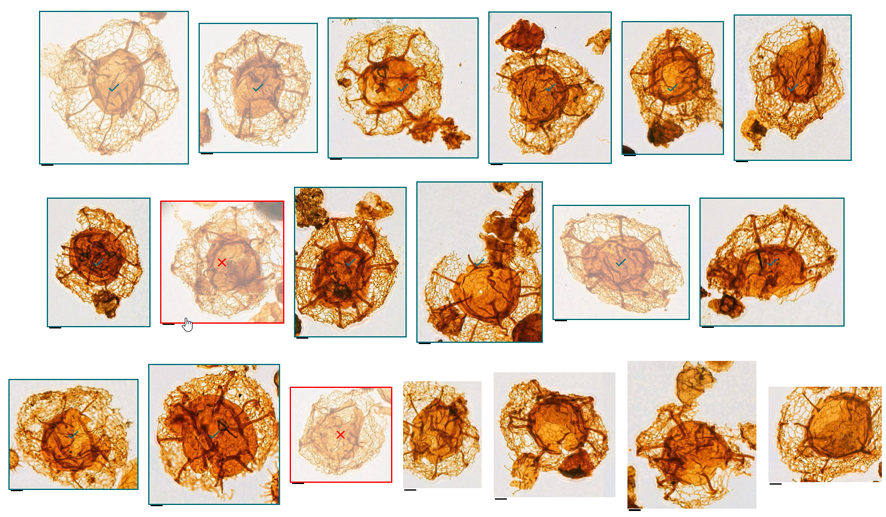
Scampi’s search envelope is flexible, and you can confirm or reject results to refine its shape. Click through the initial result list to pick the matches you prefer (or want to exclude), and then re-run the search to produce more nuanced results.
Scampi processes the slide images using several internal models, which use different parameters to decide how similar two images are. You will develop a sense for which model is likely to hone in on what you’re looking for. The 'generalist' model casts a wide net which is a useful starting point, while the 'discriminative' model tends to focus on specific shapes and forms. Scampi presents these alternative similarity models for you to choose from, but it’s always up to you to make the leap between 'similar image' and 'same species'.
Not a Label Generator
Labelling is entirely in the expert's hands. No object is identified or categorised automatically; Scampi doesn't "know" anything about genera or species, their names or contexts. This knowledge remains the domain of the palynologist.
Instead, use your search results as a shortlist of potential species matches. Simply click through the images to label your chosen selection.
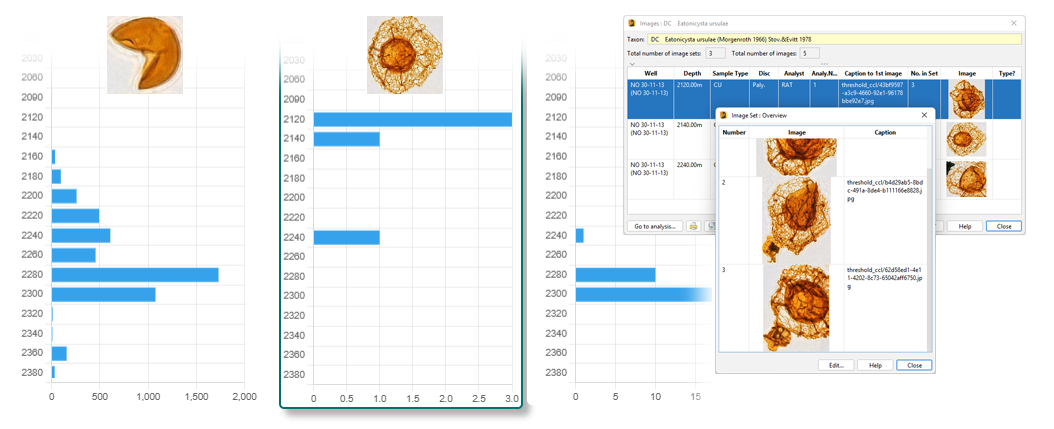
Or collect the entire search result, having chosen the cut-off point at which the results no longer satisfy your query. Scampi lets you combine results of different searches into one histogram, filtering out duplicates, so you can search from different angles to ensure you find every true specimen.
Assemble and share results as named "distribution charts". Export these to PDF images or CSV result tables. StrataBugs users can connect to Scampi directly from StrataBugs and import distribution charts, along with selected specimen images.
Collaborate Securely
A single instance of Scampi is hosted by StrataData, so you and your contractors can collaborate easily, in real time. There's nothing to install and no running costs.
Choose which organisations and users will have access to your wells. Unless explicitly shared, nobody outside your organisation can see your data.
Scanning contractors can upload slide scans directly to Scampi.
Self-Service Administration
A separate administration module allows organisations to manage their own data.
Upload scanned slide images, request processing and check on results. Create and delete wells and see an overview of data held in Scampi. Invite other organisations to access your wells.
Microsoft Entra organisations can bring their own user identities and manage all user access and permissions in-house.